
Master Your Trade Wallet
Learn how to buy, sell, send, and receive digital assets with Switch's secure trading platform. Start trading top cryptocurrencies like Bitcoin, Ethereum, and USDC in minutes.

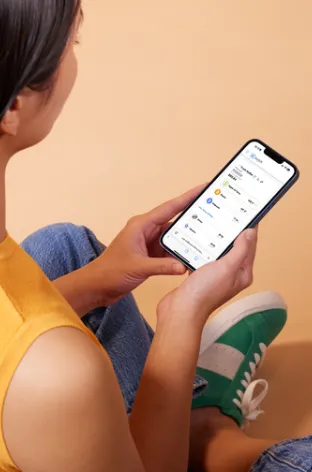
What is the Switch Trade Wallet?
The Switch Trade Wallet is your gateway to seamless cryptocurrency trading. It's an integrated trading platform that bridges traditional finance and digital assets, allowing you to trade top cryptocurrencies with ease.
Secure Transactions: All transactions are blockchain-based, irreversible, and near-instant
Fast Conversions: Swap between cryptocurrencies and fiat instantly
Multiple Currencies: Trade BTC, ETH, USDC, and more digital assets
Transparent Fees: All fees displayed before you confirm each transaction
How to Buy Digital Assets
Purchasing cryptocurrency in your Trade Wallet is simple. Follow these steps to add digital assets to your portfolio.
Access Your Trade Wallet
Log in to the Switch App and click the "Trade Wallet" tab on the left menu. Your Trade Wallet will appear on the right side of the screen.
Select Your Cryptocurrency
Click the dropdown menu next to the cryptocurrency you want to buy. Make sure you have sufficient Digital US Dollars in your wallet to complete the purchase.
Complete Your Purchase
Enter the amount you want to buy, review the transaction details including fees and spread, then click "Preview Buy" to verify before confirming.
Important Details:
✓ Funding Source: All purchases are funded by your Digital US Dollar wallet
✓ Transaction Time: Funds will show as "pending" until the blockchain transaction completes
✓ Final Confirmation: All transactions are final and cannot be cancelled, refunded, or reversed
How to Sell Digital Assets
Converting your cryptocurrency back to Digital US Dollars is just as easy. Follow these steps to sell your digital assets.
1. Navigate to Trade Wallet
First, ensure the cryptocurrency you want to sell is in your Trade Wallet. If needed, use the "Send" and "Receive" functions to move assets to your Trade Wallet from external wallets.
2. Select 'Sell'
Click the dropdown menu next to the cryptocurrency you want to sell, then click the "Sell" button to begin the transaction process.
3. Enter Amount & Preview
Enter the amount of cryptocurrency or fiat you want to sell, then click "Preview" to review the exchange rate, spread fee, and total amount you'll receive.
4. Confirm Transaction
Review all transaction details carefully, acknowledge the terms, and click "Sell Now" to complete your transaction. Funds will be deposited into your Digital US Dollar wallet.
Important Notice:
If the price of the asset fluctuates more than 2% during processing, you'll need to accept the new price via the Switch website before the transaction completes.
Selling Fun Facts:
Funds deposit directly into your Digital US Dollar wallet
Fees include spread and transaction costs
All fees are displayed before confirmation
Transactions cannot be cancelled once confirmed
Send & Receive Digital Assets
Transfer digital assets to and from your Trade Wallet using blockchain transactions. Perfect for moving assets between wallets or sending to other platforms.
Send
1. Log in to app.switchrewardcard.com and access your Trade Wallet
2. Click the dropdown next to the digital asset you want to send
3. Click "Send" and paste the destination wallet address
4. Enter the amount and click "Preview Send"
5. Review transaction details, enter SMS verification code, and confirm
Warning: Blockchain transactions are irreversible. Ensure the receiving wallet supports the asset you're sending.
Receive
1. Log in to app.switchrewardcard.com and click the "Trade Wallet" tab
2. Click the dropdown menu next to the digital asset you want to receive
3. Click "Receive" to display your wallet's QR code and address
4. Share the QR code or copy your wallet address using the "Copy" button
5. Paste this address on the platform you're sending funds from
Tip: Double-check that the asset being sent matches your receiving wallet network to avoid lost funds.
Adding Assets to Your Wallet
The Switch Trading Platform allows you to add 20+ cryptocurrencies. If you can't locate a crypto, simply click "Can't find your digital asset? Click here" at the bottom of your wallet, search for one of the supported assets, and click "Add" to include it in your empty wallets list.
How to Withdraw Funds to Your Bank
Easily transfer your Digital US Dollars back to your bank account using wire or ACH transfer. Choose the method that best fits your needs for speed and cost.
1. Access Your Trade Wallet
Log in to your Switch account at app.switchrewardcard.com and navigate to the "Trade Wallet" tab. Your Trade Wallet will appear on the right side of the screen.
2. Select Withdrawal Option
Click the dropdown menu next to your Digital US Dollar wallet (or the cryptocurrency you want to withdraw) and select "Withdraw".
3. Choose Transfer Method
Select either wire transfer or ACH transfer based on your preference. Wire transfers are 2-5 business days for domestic wires but may have higher fees. International wires are 5-7 business days.
3. Complete the Transfer
Enter the amount you wish to withdraw, review the transfer details and fees, then confirm your transaction. Funds will be sent to your linked bank account.
Wire Transfer
Speed: Typically faster processing
Best for: Larger amounts or urgent transfers
Note: Higher fees may apply
ACH Transfer
Cost: Lower fees than wire transfer
Best for: Standard transfers and regular withdrawals
Processing: May take 3-5 business days
Important Notice: Bank accounts for deposits and withdrawals must match your name or your verified business name. Third-party transfers are not permitted. This protects your account from unauthorized activity. Minimum withdrawal: $30.00.
Direct Crypto Withdrawal: You can also withdraw directly from the cryptocurrency you want to withdraw without converting to Digital US Dollars first. This option is available when selecting "Withdraw" from any supported cryptocurrency in your Trade Wallet.
Ready to Start Trading
Join an active group of people who have already moved to community‑owned crypto.
Have questions? Visit our Help Center or contact our support team.
Switch Reward Card

879 W Pleasant View Dr.
Pleasant View, UT 84414
(800) 775-0890
Subscribe! Switchboard Newsletter
Important Notices
Digital Assets and Custody are provided by Ibanera LLC and Vault IST DMCC. Ibanera LLC and Vault IST DMCC are not insured depository institutions or banks. Digital assets are not legal tender, are not insured by the Federal Deposit Insurance Corporation ("FDIC"), and are not subject to protections afforded to bank deposits. Digital assets are subject to extreme price volatility and may lose value. Digital assets held in your digital asset account (i.e. rewards wallet or trade wallet) are not insured by any governmental entities, including but not limited to FDIC. As with any asset, the value of digital assets can go up or down and there can be substantial risk that you lose money buying, selling, or holding, in digital assets. You should carefully consider whether trading or holding digital assets is suitable for you in light of your financial condition. No bank guarantee and may lose value.
Switch Nodes and the Switch Blockchain are governed by a Distributed Governance Framework, which is distinct from and not controlled by Switch Reward Card DAO LLC (Switch Reward Card). Any value derived from Switch Nodes and Switch Rewards is likely to be uncorrelated with the success or failure of Switch Reward Card.
Switch Reward Card does not sell digital rewards. The Switch Blockchain, which is governed by Switch Node owners, self-governs the distribution of Switch Rewards. Switch Rewards are earned in exchange for work and action on the Switch platform. Switch Rewards are digital rewards designed to have utility on the Switch platform for the purchase of Switch's products and services. Switch Rewards is not an investment product and may never have any value outside of the Switch platform. Switch Node owners should not expect to recognize any value from Switch Rewards other than its utility on the Switch platform. Switch Reward Card does not anticipate correlation between Switch Rewards' value and Switch Reward Card's business activities.
Banking services including USD deposits are provided by Cross River Bank.
Switch Reward Card, DAO, LLC operates as a registered Money Services Business (MSB) with the Financial Crimes Enforcement Network (FinCEN). We are also a proud participant in the FinCEN 314(b) voluntary information-sharing program to help detect and prevent money laundering and terrorist financing.
SWITCH REWARD CARD RESERVES THE RIGHT TO CHOOSE MARKETS AND JURISDICTIONS TO CONDUCT BUSINESS, AND MAY RESTRICT OR REFUSE, IN ITS DISCRETION, THE PROVISION OF SWITCH SERVICES IN CERTAIN COUNTRIES OR REGIONS.
SWITCH ERC-20 Contract Address: 0xb10cc888cB2CcE7036F4c7ECAd8a57Da16161338
© 2026 Switch. All rights reserved | Privacy Policy | Terms